AI tools for the documents you already have
Each tool works in your browser: paste text or drop a PDF, see a preview of the result, and create a free account when you want the whole thing.
You give: Meeting notes
Notes turned into a designed page
Key numbers, charts and tables laid out as a web page you can download, share or publish.
You get
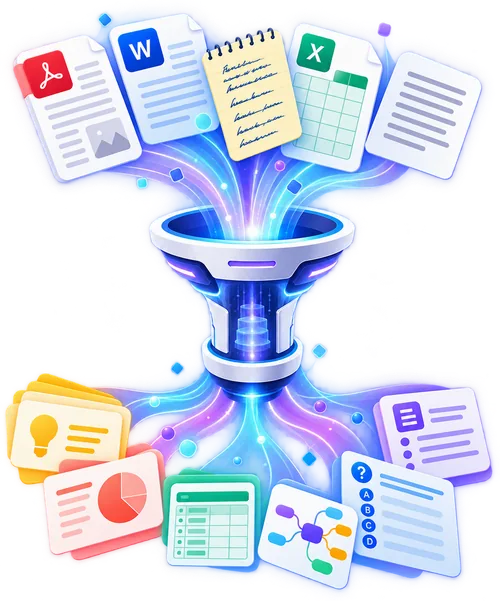
Turn anything into anything
Drop a PDF, Word file or text and get flashcards, a quiz, notes, slides, a spreadsheet or a summary. Free preview, no sign-up.
Try it →Free QR code generator
A QR code for a link, Wi-Fi, contact card, text, email, phone, WhatsApp, place or event. No sign-up, made in your browser, never expires.
Make a QR code →Finance and bills
Turn statements, invoices and receipts into clean spreadsheets.
- Convert a bank statement to ExcelTurn a bank statement PDF into a clean spreadsheet with date, description, amount and balance. Try it free on your own statement, no sign-up for the preview.
- Extract data from a PDF invoicePull the invoice number, dates, supplier, line items and totals out of a PDF invoice into a spreadsheet row or table. Preview free, export with an account.
- Turn receipts into an expense spreadsheetTurn a receipt into rows of items and prices. Paste the receipt text or upload a PDF, preview the table free, and export your expenses with an account.
- Turn a credit card statement into a spreadsheetPaste or upload a credit card statement and get one row per transaction with date, merchant, category and amount. Preview free, export to Excel with an account.
- Turn a paystub into a clean tablePull gross pay, deductions, taxes and net pay out of a paystub or payslip into rows you can total and compare. Free preview, export with an account.
- Extract line items from a purchase orderTurn a purchase order PDF into a table of item codes, quantities, prices and delivery dates. Check a PO against an invoice in minutes. Free preview.
- Extract the numbers from a utility billPull consumption, charges, taxes, total and due date from an electricity, gas, water or internet bill into a table you can track month by month. Free preview.
- Turn financial statements into a spreadsheetExtract revenue, profit, assets, liabilities and equity from an annual report or financial statement PDF into a table. Free preview, export with an account.
Documents and PDFs
Convert, summarize and reshape the files you already have.
- Convert a PDF table to ExcelExtract the tables from any PDF into editable rows and columns. Upload a PDF, see the extracted table in seconds, export to Excel with a free account.
- Summarize a PDF in secondsGet a short summary and the key points of a PDF. Upload a PDF or paste text and read the main ideas without reading every page. Free preview.
- Convert a PDF to MarkdownTurn a PDF's text into clean Markdown with headings, lists and tables kept, ready for notes, docs or a website. Free preview.
- Turn unstructured text into JSONNewPaste an email, a note or a message and get clean JSON with the fields it contains: names, dates, amounts, addresses. Free to try.
- Turn a bank statement into a CSV table you can importTurn a bank statement PDF into a CSV of dates, descriptions, amounts and balances. Paste text or drop a file to preview the table free, then check it.
- Turn a bank statement into JSON you can read or importConvert a PDF or scanned bank statement to JSON. Dates, amounts and balances stay as printed. Preview free; a free account gives the full JSON file.
- Turn the line items on an invoice into a CSV tableConvert the line-item table from an invoice PDF or Word file into CSV rows and columns. Invoice numbers, dates and amounts stay as printed. Preview free.
- Convert an invoice to JSON, field by fieldTurn a PDF or scanned invoice into structured JSON with supplier, line items, tax and totals. Invoice numbers and amounts are kept as printed.
- Turn the tables in a PDF report into an Excel sheetDrop a PDF report and get its main table as Excel rows and columns. Figures, percentages and recommendations stay as written.
- Convert a PDF table into a CSV file you can open in a spreadsheetPaste text from a PDF or drop the file to see its main table as CSV rows and columns. Check figures and dates against the original before importing.
- Turn a PDF into JSON with its sections and fields kept in orderConvert a PDF to JSON online. Headings, lists and tables become keys, arrays and nested objects, with names, figures and dates kept as written.
- Turn a receipt into a CSV table of items and pricesConvert a receipt into a CSV table of items, prices and totals. Shop, date and amounts stay exactly as printed. Free preview.
- Convert a receipt photo or PDF into structured JSONConvert a receipt to JSON, keeping the shop, date, item prices and total as printed. Free preview; a free account gives the full result.
- Turn a resume into structured JSON, field by fieldConvert a PDF or Word resume into JSON with jobs, dates and skills as clean fields. Keys follow your resume's layout, and missing values stay null.
- Turn the table in a scanned document into a CSV fileConvert a scanned table into CSV rows and columns with one header row and plain values. Figures and names stay exactly as printed. Preview free, no sign-up needed.
- Turn a scanned table into rows and columns you can check in ExcelConvert a scanned PDF or photo table into Excel rows and columns. Figures and names stay as printed, and missing values are left blank. Preview free.
- Turn a table in pasted text into a CSV you can open in a spreadsheetPaste text that holds a table and get rows and columns ready for CSV import. Names, figures and quotes stay exactly as written. No sign-up to preview.
- Turn the tables in a Word document into an Excel-ready gridConvert the main table in a Word document into Excel rows and columns. Names, figures and dates stay as written; empty cells stay empty.
- Turn a Word document into JSON that keeps its structureConvert a Word document to JSON with headings, lists and tables as nested keys. Names, figures and dates stay as written. Paste text or drop a file.
Writing
Summarize, rewrite and polish text in seconds.
- Summarize any textPaste an article, email or report and get a short summary with the key points. Free to try, in the language of your text.
- Make AI-written text sound like a person wrote itRewrite stiff, repetitive AI text so it reads naturally: varied sentences, plain words, same meaning. Paste a paragraph and try it free.
- Rewrite a paragraph three waysPaste a paragraph and get a clearer version, a more formal one and a shorter one, same meaning, same language. Free to try.
- Check your grammar and see what changedPaste text and get a corrected version plus a short list of the fixes made, so you learn as you go. Many languages. Free to try.
- Turn a podcast transcript into a blog postNewPaste an episode transcript and get a structured blog post with headline, key points and quotes. Free to try, no sign-up.
- Turn one blog post into a LinkedIn post, thread and newsletterNewPaste an article and get a LinkedIn post, a thread, a newsletter blurb and three headline options. Free to try.
- Count words and charactersNewPaste or type to count words, characters, sentences and paragraphs, with reading and speaking time. Free, private, no sign-up.
- Paraphrase any text in a tone you pickNewPaste a sentence or a paragraph and get it paraphrased in a standard, fluent, formal or simple style, same meaning, same language. Free to try.
- Rewrite a sentence so it reads betterNewPaste one or a few sentences and get clearer, shorter and more direct versions with a note on what changed. Free to try.
- Check if text reads like it was written by AINewPaste text and see the signs that it reads machine-written, with a plain-language explanation. An estimate, not proof. Free to try.
- Write a conclusion for your essay or articleNewPaste your essay or article and get a strong conclusion in three styles, summary, call to action and forward-looking. Free to try.
- Turn a topic or rough ideas into an outlineNewDescribe your topic or paste rough notes and get a structured outline with headings and key points to write from. Free to try.
- Generate a paragraph from a topic or a pointNewGive a topic sentence or a point and get a well-built paragraph in a tone you choose, with a few alternatives. Free to try.
- Change the tone of your textNewPaste an email or a message and see it in a formal, friendly, confident and diplomatic tone. Free to try.
- Expand or shorten your textNewPaste a text and get a shorter version, a half-length version and an expanded one with more detail and examples. Free to try.
- Generate blog post titlesNewEnter your topic and get 10 blog title ideas in different styles: how-to, list, question and curiosity. Free to try.
- Get blog post ideas for your topicNewEnter your niche and audience and get 12 blog post ideas with the angle and the reader question each answers. Free to try.
- Write SEO titles that fit search resultsNewEnter a page topic and keyword and get SEO title tags under 60 characters in different styles. Free to try.
- Write meta descriptions for your pagesNewPaste your page text or topic and get meta descriptions under 155 characters with a clear benefit and a call to action. Free to try.
- Write alt text for your imagesNewDescribe your image and get short, accurate alt text for screen readers and image search. Free to try.
- Generate captions for your postsNewDescribe your post and get captions in several moods with hashtag ideas, for Instagram, TikTok, LinkedIn and more. Free to try.
- Write hooks for posts, reels and videosNewEnter your topic and get 12 scroll-stopping opening lines in proven patterns, for posts, reels, threads and videos. Free to try.
- Turn a bank statement into a short summaryPaste or upload a bank statement and get a short summary of the period and key points, with every date, amount and balance kept as printed.
- Turn the key points of a PDF into a short numbered listTurn a PDF into a short numbered list of key points, most important first. Names, figures and dates are kept as written. Free preview, no sign-up.
- Turn a PDF into a structured outline with numbered sectionsConvert a PDF into a numbered outline of main sections and lettered sub-points, keeping names, figures, dates and section order as written. Free to try.
- Turn any pasted text into a short numbered list of key pointsPaste an article, email or essay and get a numbered list of its key points, most important first, with names and figures kept exactly as written.
- Turn pasted text into a numbered outline with lettered pointsPaste any text and get a numbered outline with short lettered sub-points, in the same order as the original. Names, figures and quotes stay exactly as written.
- Turn a transcript into a short list of key pointsPaste a meeting, lecture or interview transcript and get its main points as a numbered list, with names, figures and each speaker's point kept. Free to try.
- Turn a meeting or interview transcript into a short summaryPaste a transcript or drop a text file and get a short summary with key points. Names, figures and what each speaker said are kept. Try it free.
- Turn a web article into a numbered list of its key points.Paste a web article and get its key points as a short numbered list, most important first, with figures and quotes kept exactly as written. Free to try.
- Turn a web article into a short summary with key pointsPaste a web article and get a 3 to 5 sentence summary plus key points. Names, figures and quotes stay exactly as written. Free to try.
- Turn a Word document into a short numbered list of key pointsPaste a Word document or drop a .docx file to get its key points as a short numbered list, with the names, figures and dates kept as written.
- Turn a Word document into a short summaryPaste a Word document or drop a .docx file to get a 3 to 5 sentence summary and key points. Names, figures and dates stay as written. Free to try.
Slides and reports
From text or a PDF to slides and executive summaries.
- Turn text into a slide presentationPaste your notes or an outline and see the first slides of your presentation in seconds. Edit, add pictures and export to PowerPoint with a free account.
- Turn a PDF into a PowerPoint presentationUpload a report or paper as a PDF and see how it becomes slides: titles and key bullets for each section. Edit and export to PowerPoint with a free account.
- Turn a business plan into pitch deck slidesPaste your business plan or one-pager and see the first slides of an investor pitch: problem, solution, market, traction and ask. Free preview.
- Turn a Word document into a presentationPaste the text of a Word document or drop it as a PDF and see it become slides: one per section, with short titles and bullets. Free preview.
- Turn a research paper into presentation slidesPaste a paper or drop its PDF and get the first slides of a talk: question, method, results, limits and takeaway. Free preview, no sign-up.
- Turn meeting notes into a recap presentationPaste your meeting notes and get recap slides: decisions, numbers, owners and next steps, ready to show the team or the people who missed it.
- Turn lecture notes into PowerPoint slidesPaste your lecture notes and see them become teaching slides: concepts, dates, examples and a reading list. Free preview, export with an account.
- Turn Markdown into a slide deckPaste Markdown and get slides: each heading becomes a slide, each list a set of bullets. A quick path from a README or notes file to a presentation.
- Turn your handwritten notes into a PowerPoint presentationTurn handwritten notes into PowerPoint slides in the notes' own order: one slide per idea, 3 to 4 short bullets, unreadable words marked.
- Turn a web article into PowerPoint slides, one idea per slide.Paste a web article and preview a PowerPoint deck that follows its order: one slide per main idea, with names and figures kept as written.
YouTube and video
Summaries, notes, slides and flashcards from a video's captions. Paste a link; nothing is downloaded.
- Summarize a YouTube video from its linkPaste a YouTube link and get a short summary with the key points and the moments they come from. Reads the captions, no download. Free preview.
- Turn a YouTube video into clear notesPaste a YouTube link and get structured notes: headings, short bullets and the key terms, in the order of the video. Reads captions, free preview.
- Turn a YouTube video into a presentationPaste a YouTube link and see the first slides of a presentation built from the video: titles and short bullets. Reads captions, free preview.
- Turn a YouTube video into a blog postPaste a YouTube link and get a blog post draft from the video: a headline, sections and a short intro. Reads captions, free preview.
- Make a study guide from a YouTube videoPaste a YouTube link and get a study guide: the main ideas, key terms with short definitions and questions to test yourself. Free preview.
- Make flashcards from a YouTube videoPaste a YouTube link and get question and answer flashcards from the video, one fact per card. Reads captions, free preview.
- Get the text of a YouTube videoPaste a YouTube link and get the clean text of what is said, with times, ready to copy. Reads the captions, no download. Free preview.
Study and research
Notes, papers and textbooks turned into summaries, flashcards and quizzes.
- Turn your notes into flashcardsPaste notes or a textbook passage and get question and answer flashcards you can download as CSV for Anki or Quizlet. Free preview.
- Make a quiz from your textPaste notes or an article and get multiple-choice questions with answers and short explanations. Great for teachers and revision. Free preview.
- Summarize a research paperPaste a paper's text or upload a PDF and get the aim, methods, key findings and limitations in plain language. Free preview.
- Turn a textbook chapter into Anki flashcardsNewPaste a chapter or notes and get question-and-answer flashcards in a CSV you can import into Anki. Free to try.
- Turn a lecture transcript into a study guideNewPaste a lecture transcript or messy notes and get a study guide with key concepts, definitions and review questions. Free to try.
- Explain a research paper in plain EnglishNewPaste a paper or abstract and get a plain-language explanation: what they did, what they found and why it matters. Free to try.
- Explain anything in simple wordsNewPaste a difficult passage or a concept and get a simple explanation with an everyday analogy. Free to try.
- Turn a book chapter into clear study notesTurn a book chapter into study notes: headings in order, key terms in bold, formulas kept exact. Free preview, full notes with a free account.
- Turn your handwritten notes into flashcards, one fact per card.Turn typed or transcribed handwritten notes into Q and A flashcards. Preview 10 cards free. Unreadable words are marked, not guessed.
- Turn your lecture notes into flashcards you can study fromPaste lecture notes and get flashcards built from your own terms and examples. Preview is free; a free account unlocks the full deck.
- Turn your lecture notes into a multiple-choice quizPaste lecture notes and get a 6-question multiple-choice quiz with options A to D and a reason for each answer. Free to try.
- Turn your handwritten-style lecture notes into flashcardsPaste your class or meeting notes and get question-and-answer flashcards built from your own terms and examples. Preview free, or sign in for the full deck.
- Can your lecture or meeting notes become a mind map?Turn messy notes into a nested mind map outline with one central topic, main branches and short sub-points. Free to try, with your own terms kept.
- Turn your notes into a multiple-choice quiz you can test yourself with.Paste your notes and get a 6-question multiple-choice quiz, with options A to D and answers explained in one line. Built only from what your notes say.
- Turn your notes into a study guideTurn lecture or class notes into a study guide: main ideas, key terms with definitions and five self-test questions. Paste yours for a free preview.
- Turn a PDF into flashcards you can study fromPaste a PDF's text or drop the file to get a preview of question-and-answer flashcards, one fact per card, taken from your document. Free account for the full deck.
- Turn a PDF into a mind map you can scan in secondsPaste text or drop a PDF and get a nested mind map: a central topic, main branches and sub-points, with names, figures and section order kept as written.
- Turn a PDF into clear study notes in the order it was writtenPaste a PDF or drop the file and get short notes with headings in the document's order, bold key terms, and figures copied exactly as written.
- Turn a PDF into a multiple-choice quizUpload a PDF or paste its text and get a 6-question multiple-choice quiz with options A to D and the answers, each with a one-line reason.
- Turn a PDF into a study guide you can review before the examUpload a PDF or paste its text to get a short study guide: main ideas, key terms with definitions, and five self-test questions. Free to try.
- Turn any pasted text into question-and-answer flashcardsPaste an article, email or essay and get Q and A flashcards built from its facts. Names, figures and quotes stay exactly as written. Free to try.
- Turn any pasted text into a mind mapPaste any text and get a mind map: a central topic, 4 to 7 main branches and short sub-points, with names and figures kept exactly as written. Try it free.
- Turn any pasted text into structured study notesPaste an article, email, essay or copied web page and get short headed study notes with key terms in bold. Figures and quotes stay exactly as written.
- Turn any pasted text into a six-question multiple-choice quiz.Paste any text and get a six-question multiple-choice quiz, options A to D, with an answer key and a reason for each answer. Free to try.
- Turn a transcript into structured notes you can study fromPaste a lecture, meeting or interview transcript and get structured notes in the order it was spoken, with bold key terms and figures kept as written.
- Turn a lecture or interview transcript into a study guidePaste a lecture, meeting or interview transcript and get a study guide with main ideas, key terms and five self-test questions. Free preview.
- Turn a Word document into flashcards you can study fromPaste a Word document or drop a .docx file and get question-and-answer flashcards from it, keeping names, figures and dates as written. Free preview.
- Turn a Word document into a multiple-choice quizPaste or drop a Word (.docx) file to get a six-question multiple-choice quiz built only from its text, with answers and a short reason for each.
Business, HR and legal
Contracts, meetings, hiring and plans, read and organised for you.
- Turn meeting notes into an action listPaste meeting notes or a transcript and get a table of actions with an owner, a due date and a priority. Free preview, export to a sheet with an account.
- Turn resumes into a candidate spreadsheetExtract name, contact, current role, experience, education and skills from a resume or CV into a row. Stack many for a candidate tracker. Free preview.
- Find the key terms in a contractPaste a contract or upload a PDF and get a plain-language list of term, fees, termination, liability and confidentiality. Not legal advice. Free preview.
- Generate interview questions from a job descriptionPaste a job description and get role-specific interview questions with what a good answer looks like. Free preview, more in your account.
- Turn support tickets into help articlesNewPaste resolved support tickets and get a clear help-center article with steps, so the same question stops coming back. Free to try.
- Turn a team chat into meeting minutesNewPaste a Slack, Teams or WhatsApp thread and get minutes with decisions, owners and deadlines. Free to try.
- Write a client case study from your project notesNewPaste rough project notes and get a case study with problem, solution, results and a pull quote. Free to try.
- Write a short pitch email that gets readNewDescribe who you are pitching and what you offer, and get a short, specific cold email with a clear ask. Free to try.
- Generate slogans and taglinesNewDescribe your business and get 12 slogans and taglines in different styles, short, playful, bold and descriptive. Free to try.
- Write product descriptions that sellNewEnter your product's features and get a short and a long description plus bullet points, ready for your shop. Free to try.
Resume and career
Cover letters, tailored resumes and profiles built from your real experience.
- Write a cover letter from your resumePaste your resume and the job posting and get a short, specific cover letter built from your real experience. No made-up achievements. Free to try.
- Tailor your resume to a job descriptionPaste your resume and a job posting and get a version rewritten to fit it: reordered, keyword-aware and honest. Nothing is invented. Free to try.
- Turn your LinkedIn profile into a resumeCopy your LinkedIn profile text and get a clean one-page resume: summary, experience, education and skills in resume form. Free to try.
PDF and file tools
Merge, split and convert PDFs and images right in your browser. Your files never leave your device.
- Merge PDF files into oneCombine several PDFs into a single file in your browser. Drag to reorder, no upload, no sign-up, no watermark.
- Split a PDF into separate filesExtract pages or split a PDF into ranges or single pages, right in your browser. No upload, no sign-up.
- Convert images to a PDFTurn JPG, PNG or WebP pictures into one PDF in your browser. Reorder pages, choose the page size. No upload, no sign-up.
- Reorder, rotate and delete PDF pagesSee every page of your PDF, drag them into a new order, turn or delete them and save. In your browser, no upload, no sign-up.
- Rotate PDF pagesRotate one page or the whole PDF by 90 or 180 degrees and save it. In your browser, no upload, no sign-up.
- Remove pages from a PDFClick the pages you don't want and save a PDF without them. In your browser, no upload, no sign-up.
- Add page numbers to a PDFNumber the pages of your PDF: choose the position, the format and the first number. In your browser, no upload, no sign-up.
- Add a text watermark to a PDFStamp CONFIDENTIAL, DRAFT or your name across every page of a PDF. Adjust size and opacity. In your browser, no upload.
- Crop the margins of a PDFTrim the top, bottom, left and right margins of every page of a PDF. In your browser, no upload, no sign-up.
- Resize a PDF to A4, Letter or A5Change the page size of a PDF to A4, US Letter or A5. Pages are scaled to fit. In your browser, no upload, no sign-up.
- Convert PDF pages to imagesTurn every page of a PDF into a PNG or JPG picture and download them as a ZIP. In your browser, no upload, no sign-up.
- Flatten a fillable PDF formNewTurn form fields into fixed text so a filled PDF can't be edited by accident. In your browser, no upload, no sign-up.
- Merge PDFs and add a contents pageNewCombine PDFs into one file with a Contents page that lists each document and the page it starts on. In your browser, no upload.
- Split a PDF into chapters using its bookmarksNewCut a long PDF into one file per chapter using the bookmarks already in it. In your browser, no upload, no sign-up.
- Extract the pictures from a PDFNewSave every photo and graphic embedded in a PDF as a PNG file, at its original size. In your browser, no upload.
- Sign a PDFNewDraw, type or upload your signature, place it on any page and download the signed PDF. In your browser, no upload, no sign-up.
- Edit a PDF: add text, pictures and a signatureNewAdd text, pictures, a signature, white boxes and highlights to any PDF in your browser. No upload, no sign-up, no watermark.
Web pages and reports
Turn text, data and chat answers into a designed page you can download, share or publish.
- Turn anything into an executive summaryPaste notes, a report, a table, CSV, JSON or drop a PDF and get a one-page executive summary as a designed web page: headline, key numbers, findings, recommendation.
- Turn your text into a designed web pagePaste an article, report or draft and get a designed web page with a cover, contents, key numbers, charts and tables. Download it free; publish and share with an account.
- Make a presentation as a web pageTurn notes or a document into full-screen web slides that open in any browser: no PowerPoint needed. Preview free, publish and share a link with an account.
- Convert Markdown to a styled HTML pagePaste Markdown and get a clean, styled HTML page with contents, tables and lists. Free, instant, no sign-up: download the file or publish it with an account.
- Turn an AI chat answer into a web page you can sharePaste an answer from ChatGPT, Claude or Gemini and get a clean web page you can download. Publish it on your profile and share a link with a free account.
- Turn a Word file into an editable documentDrop a Word file and see it as an editable document with its colours, columns, tables and pictures. Edit it, restyle it, download it as Word again. Free preview.
- Turn your resume into a portfolio websitePaste your resume and get a designed one-page portfolio site with your experience, projects and skills. Download it free; publish with an account.
- Describe yourself, get a personal websiteWrite a few lines about who you are and what you offer, and get a designed personal website: intro, services, prices and contact. Free preview.
- Make a landing page for your small businessDescribe your shop, café or service and get a landing page with what you offer, opening hours and how to order. Download it free; publish with an account.
- Make a one-page bio websitePaste your bio and get a clean one-page site: who you are, your work, talks or publications and how to reach you. Download free, publish with an account.
- Make a link-in-bio page from your linksPaste your name and your links and get a clean link-in-bio page with a bio and a button for each link. Preview it free, then publish it on a link.
- Make a wedding website with an RSVP formDescribe your wedding and get a one-page website with your story, the schedule, good-to-know details and an RSVP form. Preview it free.
- Make a wedding RSVP pageDescribe the day in a few lines and get a simple RSVP page: your details at the top and a form that asks who is coming and any food needs.
- Make a birthday invitation pageDescribe the party and get an invitation page with the date, place and plan, plus an RSVP form so you know who is coming.
- Make a baby shower invitation with RSVPDescribe the shower and get a soft invitation page with the details and an RSVP form for guests.
- Make a graduation party invitation pageDescribe the celebration and get an invitation page with the schedule, practical details and an RSVP form for guests.
- Make an event page with a sign-up formDescribe your event and get a one-page site with the date, schedule and speakers, and a sign-up form that collects names and emails.
- Make a restaurant website with a booking formDescribe your restaurant and get a one-page site with the menu highlights, opening hours and a table-booking request form.
- Make a restaurant booking request pageDescribe your opening hours and booking rules and get a short page with a table-request form that sends each request to your email.
- Make a one-page website for your coffee shopDescribe your café and get a one-page site with what you serve, your hours and how to find you, plus a contact form.
- Make a fitness studio website with a booking formDescribe your studio and get a one-page site with your classes, timetable and a form to request a trial class.
- Make a clinic website with an appointment request formDescribe your practice and get a one-page site with your services, opening hours and a form to request an appointment.
- Make a law firm website with an enquiry formDescribe your practice and get a one-page site with practice areas, how you work and a form for first enquiries.
- Make a property listing page with a viewing request formDescribe a property and get a listing page with the key facts, features and a form to request a viewing.
- Make a contact page with a formDescribe who you are and what people can ask, and get a clean contact page with a form that sends each message to your email.
- Make a landing page for your courseDescribe your course and get a landing page with what people learn, the outline and a sign-up form for the next cohort.
- Make a consultant website with a contact formDescribe how you help clients and get a one-page site with your services, your way of working and a form to ask for a call.
- Make a portfolio website with a contact formDescribe your work and get a one-page portfolio with selected projects, an about section and a contact form for new clients.
- Make a landing page for your app with a waitlistDescribe your app and get a landing page with the problem, features and a sign-up form that collects a waitlist.
- Make a nonprofit website with a volunteer sign-upDescribe your cause and get a one-page site with your mission, programs and a form for volunteers and supporters to sign up.
- Turn a PDF report into a clean web page you can share.Convert a PDF report into a clean web page with a headline, short sections and key figures called out. Figures and recommendations stay as written.
- Turn a PDF into a readable web page with headings and key figuresConvert a PDF into a clean web page with a headline, short sections and key figures called out. Names, dates and section order stay as written.
- Turn your Word document into a web page you can read in a browserTurn a Word document into a clean web page with a headline, short sections and key figures called out. Names, dates and section order stay as written.
Forms, quizzes and courses
Surveys, polls, sign-ups, quizzes that teach and courses made from a book. Play a live sample, then make yours in chat.
- Make a market research surveyFind out who your buyers are, what they use today and what they would pay, before you build. Try a 14-question sample, then make yours free.
- Run a product-market fit surveyThe four-question Sean Ellis test: how disappointed would users be without your product? One question per screen, results as charts.
- Make an NPS surveyAsk the 0 to 10 recommend question and a follow-up on the reason. See your Net Promoter Score calculated for you. Free template.
- Make a customer feedback formStar rating, a rating for each part of the experience and a comment box. Share a link or QR code and see the averages.
- Make a product feedback formFind out what people use, love and hate, with a bug or idea box that appears only when needed. Free template.
- Collect ideas from your team or customersA form for ideas with the problem, how it would work and the effort. Then turn the ideas into a ranking vote in one click.
- Let people rank and vote on ideasVoters put the options in order and rate each one. You see the average place, how often each came first and the winner, live.
- Collect feature requestsAsk what users want, what it would help them do and how important it is. A short form that turns requests into data.
- Make a quick pollOne question, a few options and live results for everyone after they vote. Share a link in a chat or on a screen.
- Make an event registration formName, email, which sessions, dietary needs and a consent box. Share one link, count registrations and export the list.
- Make a party RSVP formYes or no, how many people and allergies, one question per screen. Share a link in the group chat and count who is coming.
- Make a course registration formStudent name, level, the days that suit them and how they will pay. A simple enrolment form you can share by link.
- Make a waitlist formCollect emails before a launch, with a question about what people would use it for. One link, no code.
- Make a job application formName, contact, experience, portfolio link, why this role and a consent box, over two pages. Share the link on a job post.
- Make a contact formName, email, topic and message, with the answers sent to your inbox. Share a link or add it as a page; no code, no plugin.
- Make a personality quiz people shareDescribe a theme and get a personality quiz: questions where every answer points to a result, and a result page people want to share.
- Make an online quiz and share itDescribe a topic and get a quiz with hints, explanations and a result screen, with a link to share and a page of everyone's scores.
- Make a trivia quizA trivia quiz with varied questions, hints on request and a score at the end. Turn off practice mode for a strict test.
- Turn a PDF or a chapter into a quiz that teachesAttach a PDF, Word file or book and get a shareable quiz with hints, explanations and a practice round for the questions you missed.
- Make a training quiz for your staffA pass-or-fail quiz for onboarding and compliance: players give their name and you see who passed and which questions they miss.
- Make a vocabulary quiz in any languageTyped answers that accept spelling variants, hints and a practice round for the words you missed. Spanish sample included.
- Turn a book into a courseAttach a book or a long document and get lessons with key points, practice questions and a final test, written chapter by chapter.
- Make a course from a document or a subjectGive the chat a subject or a long document and get lessons with practice after each one and a final test. Share by link.
- Make a dental patient intake form for your practice's new patientsBuild a new-patient intake form for your dental practice in a chat: contact details, reason for visit, anxiety level, last visit and insurance.
- A salon booking request form you confirm yourselfBuild a salon booking request form: service, preferred days, stylist, hair length and allergies. Share the link and confirm each request yourself.
- Make a school parent feedback survey for end of termBuild an end-of-term survey for parents of a school or kindergarten on teaching, communication, safety and one thing to improve.
- A restaurant feedback survey guests can finish at the tableBuild a short guest survey for your restaurant or cafe: food, service, wait, value and return visits. Open it from a table QR code.
- How do you build an anonymous employee engagement survey for a small team?Build an anonymous employee engagement survey in chat: workload, management, growth and an eNPS question, with results you can chart and export as CSV.
- A website feedback form that asks what visitors were looking forBuild a website feedback form that asks what visitors came for, if they found it, and what confused them. Optional email, published at a link.
- A volunteer sign up form for your charity or community eventBuild a volunteer sign up form with shifts, skills, availability and an emergency contact, then publish it at a link and track who has signed up.
- Build a webinar registration form that gets you the right attendeesMake a webinar registration form in minutes: name, email, company, topics, referral source and follow-up consent. Edit by chat, publish a link, read the answers.
- How to make a wedding RSVP form that gets the headcount, meals and allergies rightBuild a wedding RSVP form with attendance, guest count, meal choice, allergies and a song request. Meal questions skip guests who decline.
- Build a customer discovery survey to test your startup idea before you build itBuild a customer discovery survey in chat: ask about the problem, current workarounds, how often it happens, what people pay and who will talk to you.
- Run a design vote poll that ranks logo options and rates each oneBuild a design vote poll where your team or community ranks logo or design options and rates each one. Results appear in a chart and CSV.
- A name idea voting form: collect suggestions, then let people pick the winnerBuild a name idea voting form for a product, team or pet. Collect suggestions, then turn the shortlist into a vote and read the results.
- Make a beta signup form for your app's testersBuild a beta signup form that asks for email, platform, intended use and whether testers will give feedback. Free, built and edited in chat, shared by link.
- Make a call for speakers form for your conference or meetupBuild a call for speakers form for your conference or meetup: title, abstract, level, bio, past talks and consent. Share a link and read proposals.
- Make a course evaluation survey for your studentsBuild an end-of-course evaluation survey covering content, instructor, pace and materials. Share a link, chart the answers and decide what to change.
- Build a fitness class sign up form for your gym, yoga or running groupBuild a fitness class sign up form for a gym, yoga or running group. Ask class, day, experience and injuries, add a waiver, get replies by email.
- Make a registration form for your parish or community eventMake a registration form for your parish or neighbourhood event: headcount, children, dietary needs and who can help, with a link and QR code.
- Make an exit survey for people who are leaving your teamBuild a free exit survey for leavers: main reason, what to change, whether they would recommend you, and an option to stay anonymous.
- Make a history quiz for your class or group, with an explanation after each answerBuild a history quiz for a class or group: dates, causes, key people. Each answer gets an explanation, and you publish it at a link.
- Make a geography quiz with capitals, rivers, borders and flagsBuild a geography quiz on capitals, rivers, borders and flags described in words. Typed answers, hints, and a results page you can share.
- Make a science quiz for kids with hints and a practice roundBuild a science quiz for kids in chat: simple questions, hints, short explanations and a practice round for missed answers. Share it by link or QR code.
- Make a pub quiz or trivia night you can run from your phoneBuild a pub quiz with themed rounds, quick questions and checked answers, then share one link or QR code so teams play on their phones. Free to try.
- Make a safety training quiz that records who passedBuild a workplace safety training quiz that asks each employee's name and sets a pass mark. Edit it in chat, share a link and download results as CSV.
- Build an employee onboarding quiz that teaches as it testsBuild a new-hire quiz on your policies, tools and values. Wrong answers show the rule and why it exists, and you can see who has finished each part.
- How do you make a driving theory quiz for practice?Build a driving theory quiz with road sign questions, priority rules and speed limits. Add hints, explanations and practice mode for missed ones.
- Make a BuzzFeed-style which-one-are-you quiz for your feedMake a which-one-are-you personality quiz for social media in a chat. Playful questions, a few result types, and a link and QR code to post anywhere.
- Make a career interest quiz for students that points to real career typesBuild a career quiz for students in minutes. Questions about preferences map to four or five career types, and you publish it at a link to share with your class.
- Build a product recommendation quiz that points each customer to the right itemDescribe your products in chat and get a which-product-fits-you quiz: questions about needs, a few recommendations at the end, and a link to share.
- Turn a textbook or lecture notes into a course with lessons and practice questionsTurn textbook chapters or lecture notes into short lessons, each with key points and practice questions. Edit in chat, then publish at a link.
- Turn your company handbook into an onboarding course with lessons and testsBuild an onboarding course from your company handbook: lessons, key points, a short test after each one, and results for each new hire, shared by link.
- Make a study guide from a book, lesson by lessonTurn a book into a course: one lesson per chapter, key ideas, check questions and a final test. Edit by chat, then share the link.
- Turn a PDF article or chapter into a lesson plan with practice and a final testTurn a PDF article or chapter into lessons with practice questions and a final test. Attach the file in chat, edit, then share one link.
- Make a patient satisfaction survey for your clinic or GP practiceBuild a patient satisfaction survey for your clinic or GP practice in chat: waiting time, staff, explanations, cleanliness, anonymous replies.
- A hotel guest feedback form for your guesthouse, built from your stayBuild a hotel guest feedback form covering check-in, room, breakfast, staff and location, plus a rating and one thing to improve. Edit it by chat.
- Make a tenant maintenance request form for your rental unitsBuild a repair request form for tenants: unit, problem type, urgency, access times and contact details. Get each request by email and track it in one place.
- Make an event feedback survey for your conference, workshop or meetupBuild a post-event feedback survey for attendees covering talks, speakers, venue and networking, with NPS and a results page. Share a link after.
- Make a workshop sign up form that closes when your places are fullBuild a workshop sign up form with session dates, experience levels and a response limit, so you stop taking bookings once the room is full.
- Make a parent-teacher meeting request form for your class or schoolBuild a parent-teacher meeting request form in chat: child, class, preferred time slots and topics. Share the link and get each request by email.
- Make a club registration form for your student societyBuild a membership sign-up form for your student club or society: name, year, interests, skills, how members found you, and consent.
- A donor survey that asks what your supporters actually thinkBuild a donor survey in chat: ask why supporters give, how they heard about you and how they want to hear from you. Share a link, read the results.
- Build a podcast guest application form that screens pitches before you replyMake a podcast guest application form that asks for topic pitch, audience fit, past appearances, links and availability. Publish it at a link and read the answers.
- Build a client intake questionnaire that tells you what a new project needs before the first callMake a client intake questionnaire for your freelance or agency work. Ask about goals, budget range, timeline, and who signs off, then get each reply by email.
- A brand discovery questionnaire to send before a logo or website projectMake a brand discovery questionnaire to send clients before a logo or website job: audience, values, competitors, tone and colours to avoid.
- Make a cancellation survey for customers who leave your subscriptionBuild a short cancellation survey in chat covering the main reason for leaving, what was missing, price and return intent. Publish it as a link.
- Let your users vote on what goes on the product roadmapMake a product roadmap voting form. Users rank shortlisted features, rate each one and add one idea, then you read the results at a link.
- Make a group poll to pick a team lunch spot, a date or an activityBuild a quick group poll for your team or friends in a few minutes. One answer per person, live results and a link you can paste in chat. Free to try.
- Make an English grammar quiz for learners that explains each ruleBuild an English grammar quiz on tenses, articles and prepositions. Learners type the missing word, get a hint, and read why the answer is right.
- Make a math quiz for school practice with typed answers and worked explanationsBuild a maths practice quiz on fractions, percentages and arithmetic. Students type numeric answers, get hints and see worked explanations. Try it free.
- Make a biology revision quiz for your class, with hints and explanationsBuild a biology revision quiz on cells, genetics and ecosystems, with hints, explanations and a practice round for missed questions. Share it by link.
- Build a cybersecurity awareness quiz for your teamBuild a cybersecurity awareness quiz on phishing, passwords, public wifi and reporting. Staff answer from one link and you see each person's score.
- Build a GDPR training quiz for your staff, with results you can checkMake a GDPR training quiz on personal data, consent, access requests and breaches. Staff answer with hints, you see who passed, and you can edit it by chat.
- Make a first aid quiz for your course or teamBuild a first aid knowledge quiz on bleeding, choking, CPR steps and burns for a course or workplace. Add explanations, edit by chat, and share a link.
- Make a music theory quiz for notes, scales, intervals and time signaturesA music theory quiz with typed note names, scale, interval and time signature questions, plus hints. Students practise; you read every answer.
- Make a movie trivia quiz about the films your group actually lovesBuild a movie trivia quiz with director, quote, decade and pick-all questions. Describe your fans or party guests, share a link and read the scores.
- A product knowledge quiz for your sales or retail team, built around your own features and pricesBuild a product knowledge quiz for sales or retail staff covering features, pricing rules and objections, with explanations after each answer.
- Make a wine knowledge quiz for your staff or your own tasting groupBuild a wine quiz on grapes, regions, pairings and serving temperatures for floor staff or enthusiasts. Add hints, explanations and a results page.
- Turn a standard operating procedure into a training course with a test for each lessonTurn an SOP or staff handbook into short lessons, each with its own test. Build it in chat, publish a link, and see who passed which step.
- Turn your policy document into a compliance training courseTurn a policy document into a compliance course with lessons, checks and a final test. Edit it by chat, share one link, and download results as a CSV.
- Turn a research paper or long article into a study guide you can shareTurn a research paper into a study course with lessons, key points and check questions. Edit it by chat, then share it with a link.
- Turn your own messy notes into a self-study course with practice questionsTurn your typed or pasted revision notes into a short self-study course with lessons, practice questions and a final test before your exam.
Restaurants and menus
QR code menus for every kind of restaurant, with sample menus you can try, translate and make your own.
- Make a QR code menu for your restaurantBuild your menu page, get a QR code for the tables and change prices any time without reprinting. Try a live sample menu, then make yours free.
- Make a restaurant menu in several languagesOne menu page your guests can read in English, French, German, Spanish, Italian, Romanian or Arabic. Switch languages in the live sample, then translate yours.
- Make a menu that shows allergens on every dishTag each dish with the 14 EU allergens and diets, and let guests filter vegan, vegetarian or gluten-free. Try the live sample, then build yours.
- Turn your printed menu into a QR menu pageUpload a PDF or photos of your menu and get an editable menu page with every dish and price. See a sample result, then import yours free.
- Make a menu with big dish photosA photo-first menu page: tiles with the dish, the name and the price on the photo. Try the live sample, add your own photos or generate them with AI.
- Make a pizzeria menu with a QR codeA menu for pizzas, starters, desserts and drinks with photos and prices. Try the live pizzeria sample, then make yours and print the QR code for the tables.
- Make a café menu for coffee, bakery and breakfastCoffee, pastries and breakfast on one menu page with photos and prices. Try the live café sample, then make yours and print the QR code for the counter.
- Make a brunch menu with a QR codePancakes, eggs, toast and coffee on one menu page. Try the live brunch sample in a fresh, light look, then make your own free.
- Make a sushi and Japanese restaurant menuRolls, sushi sets, ramen and starters in a clean menu page. Try the live sample in a minimal look, then make yours free.
- Make a burger restaurant menu with photosBurgers, sides, shakes and combos as photo tiles with the price on the photo. Try the live burger sample, then make yours and print the QR code.
- Make a cocktail menu with a QR codeCocktails, wines, beers and bar snacks on a dark, elegant menu page. Try the live bar sample, then make yours and print the QR code for the tables.
- Make a steakhouse or BBQ menuCuts, grills, sides and wines on a dark, confident menu page. Try the live steakhouse sample, then make yours and print the QR code.
- Make a tasting menu page for fine diningCourses, wine pairings and an elegant serif look in a quiet menu page. Try the live tasting menu sample, then make yours and share the code.
- Make a food truck menu you can change on the spotA short, bold menu with photos, the QR code for the window and prices you can change from your phone. Try the live food truck sample.
- Make an Indian restaurant menu with spice levelsCurries, breads, biryani and starters with dietary tags and spice markers. Try the live Indian restaurant sample, then make yours and print the QR code.
- Make a Mexican restaurant or taqueria menuTacos, burritos, guacamole and margaritas in a bold, colourful menu page. Try the live taqueria sample, then make yours free.
- Make a Greek or Mediterranean restaurant menuMezze, grills, salads and desserts in a bright, multilingual menu page for tourists and locals. Try the live taverna sample, then make yours.
- Make a Chinese or pan-Asian restaurant menuDumplings, noodles, rice and wok dishes in a bold menu page with Chinese and English names. Try the live sample, then make yours and print the QR code.
Browse by document
Start from the file you have: every tool that can read it.